
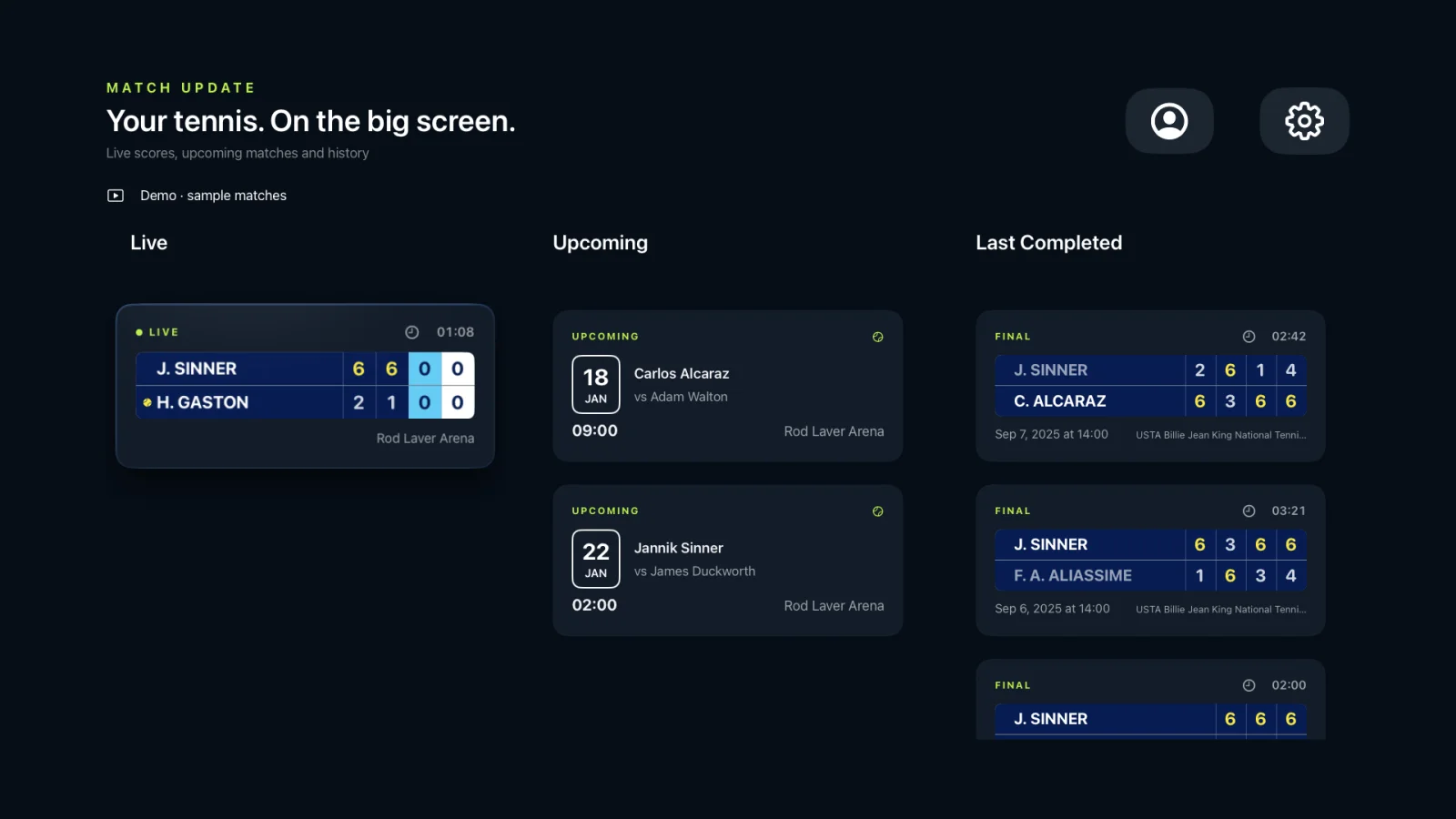
On a busy team weekend, a tennis club can have players competing in several places at once. Coaches, teammates and members back at the club still want to know who is about to play and which matches are already under way.
Match Update on Apple TV turns the clubhouse television into a shared match board. Upcoming matches sit beside live ones, making it easy for everyone in the room to see what is happening beyond the home courts.
One screen for the club schedule.
The Apple TV library groups live, upcoming and recently completed matches in clear columns. If the account follows several shared players, the player filter helps narrow the screen to one team member or keep the whole club in view.
When this helps
Use the clubhouse screen when teams are spread across different venues and people at the club want a simple overview without checking several phones or asking for score updates.
Choose the match that matters now.
When a match becomes interesting, open its live card for a full-screen court view and the current score. Statistics and momentum provide more context when you want to understand how the match is developing.
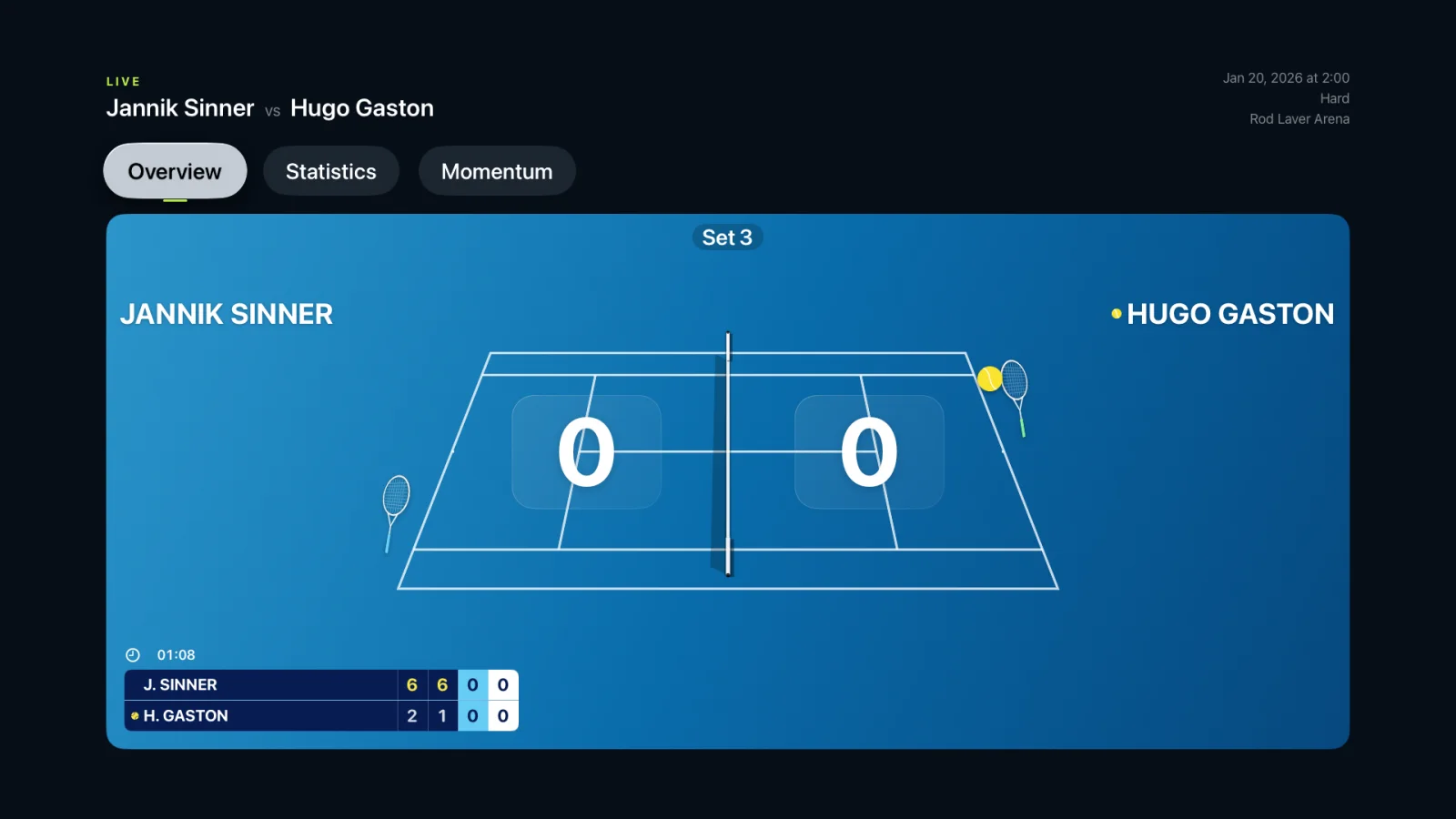
Set up sharing before the first serve.
Share a player or an individual match from Match Update on iPhone or iPad. Accept the invitation there with the same iCloud account used on Apple TV. Once the match is published, it can appear on the club screen during the next refresh.
Only matches shared with that account are visible. Private matches that have not been shared remain private.
A shared view, not another scoring device.
Apple TV is a read-only companion. The person at the venue continues to score on iPhone, iPad or Apple Watch, while the television presents the accepted updates to everyone at the club.
Updates depend on the scoring devices, their network connections and iCloud availability, so the clubhouse display may not change at precisely the same instant as the point. It is designed to keep the club connected to the day’s matches without turning the big screen into another device to manage.